AI Features

Video

Image to VideoText to VideoReference to VideoFirst & Last Frame

Image

Image EditingImage to ImageText to Image
All Features
AI Models
Veo 3.1 FastKling 3.0Seedance 2 FastHailuo 02 StandardWan 3.0RunwayPixVerse V6Grok ImagineNano Banana 2GPT Image 2Seedream 5 FlashFLUX 2 ProIdeogram V3Qwen3
All Models
AI Tools
AI Video Scene EditorRestyle a scene or replace its subject using a source clip and reference images.AI Ad GeneratorTurn product images and a creative brief into a short video ad.Product PosterDesign a campaign poster from up to four product photos and a brief.Ad ClonerCreate a new ad inspired by the pacing and visual structure of a source ad.AI AvatarAnimate a portrait with a script, performance direction, or voice reference.AI Product AvatarCreate an avatar-led product introduction with your script and product references.Motion ControlTransfer a reference video's movement to a character image.Florida MemeTurn a surreal Florida-style headline into a short comedy video.Virtual Outfit Try-OnSee a garment on your model while retaining the person's identity and pose.Infinite Camera AnglesGenerate a cinematic reinterpretation of a source video with new camera angles.AI Lip SyncCreate a talking video from a portrait and a recorded voice track.Video ExtenderContinue the action beyond the end of an existing clip.Topaz Video EnhancerUpscale an existing video with Topaz without changing its subjects or story.Natural Portrait RetouchRetouch lighting and skin tone while preserving face shape and natural texture.AI Interior DesignRefresh an existing room with a design brief and optional style reference.Product VideoAnimate a product photo into a polished showcase clip.Video Lip SyncSync the mouth movements in an existing clip to a new recording.
StudioAll Tools
Pricing
Resources

Creator Resources

Video TemplatesExamplesFAQBlogAPI

Company & Account

AboutPartnershipsContactSign InAccount
English简体中文
Create now
All Posts
  • Practical Beginner AI Video Course

How One Dance Reference Guides Two Cats

Guide twin cat dancers through a choreography clip and verify which character stays on each side.

GetReelMakerNovember 21, 2026
Table of Contents
  1. Preparation
  2. Step-by-Step Setup
  3. Checking the Output

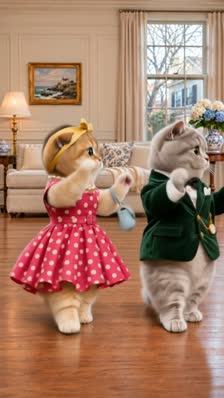
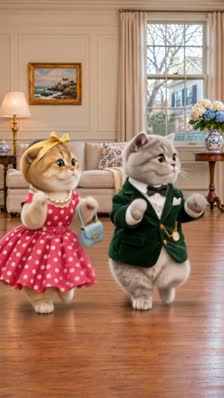
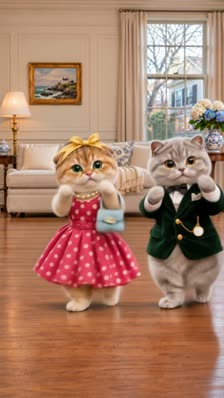
In the GetReelMaker sample, two dressed cats dance in a living room across a nine-second, 9:16 clip. The left character is an orange cat in a red dress, and the right character is a gray cat in a green suit. Around three to four seconds, both turn toward the right and lift their paws. Near the end, the red dress flares as the cats move closer together. You can inspect this out-of-the-box motion setup in the Two Cats Dancing template.

Preparation

Choose one portrait reference image where both characters appear side by side. Make sure both figures retain distinct silhouettes and have open space around their paws so limb movement tracks cleanly.

Try this practice prompt.

@Image1 shows two standing cats ready to dance in an indoor living room. The orange cat on the left wears a flared red dress. The gray cat on the right wears a tailored dark green suit. Both retain their outfits and separate silhouettes throughout the routine.

Step-by-Step Setup
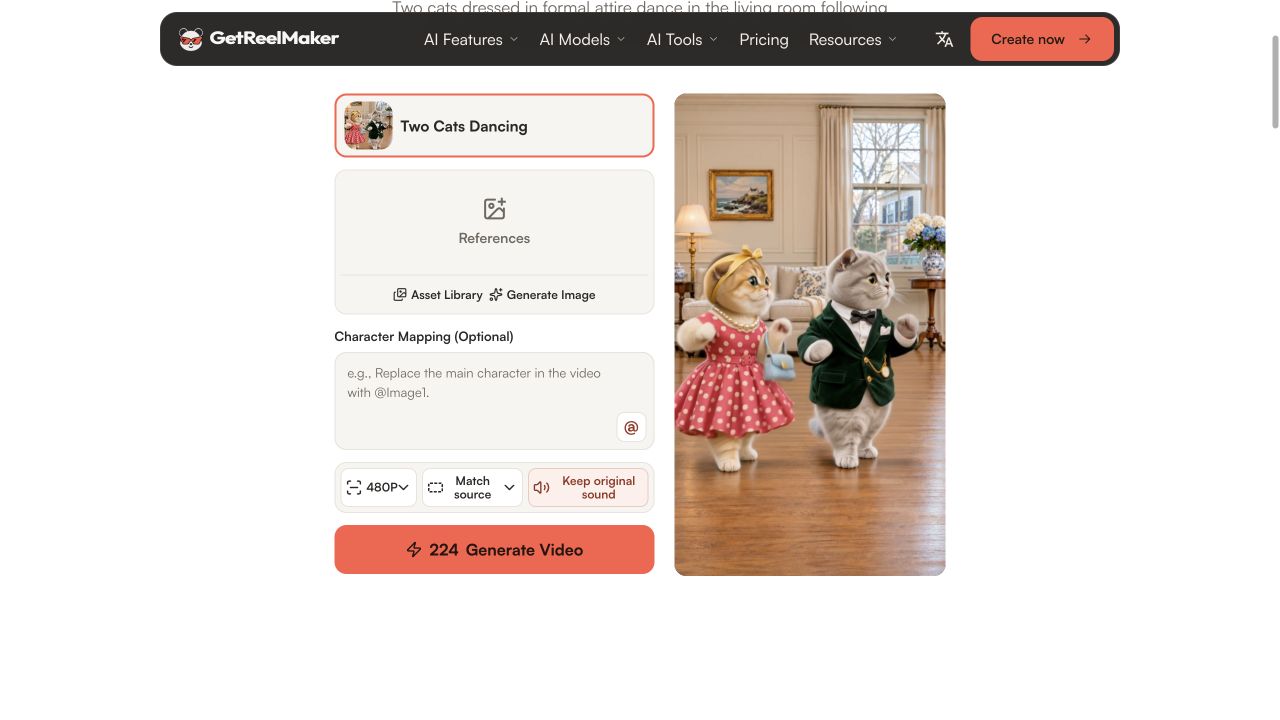
Screenshot of the English Two Cats Dancing workflow highlighting reference inputs, slot mapping, settings controls, and the Generate button.1234
This workbench view was captured on November 21, 2026, displaying the English interface in GetReelMaker.

1. References Upload your paired portrait into the first slot. The dance reference is already loaded in the template.

2. Character Mapping (Optional) Paste the practice prompt and keep the left and right characters tied to their outfits.

3. Match source / Keep original sound Select your preferred audio handling. Keep the sound setting independent from your aspect ratio choice, and use audio you have permission to use.

4. Generate Video Submit the run to generate your animation.
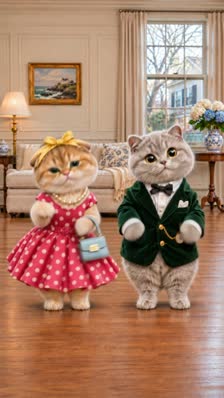
0.3s0.3s
3.3s3.3s
4.2s4.2s
8.7s8.7s

Checking the Output

Scrub the shared turn around four seconds or pause at the final close approach. Both cats should keep clean borders without overlapping artifacts. If paws merge during the turn, switch to an image reference with a wider gap between the characters and keep the prompt fixed. If identities swap positions, revise the left and right character mapping labels first.

Practical Beginner AI Video Course

  1. Learn Image to Video Basics with a Simple Candle Flame
  2. How to Guide Street Handbag Motion to a Clean Finish
  3. Set Up an Outfit Reveal with Start and End Frames
  4. How One Dance Reference Guides Two Cats

Newsletter

Subscribe to our newsletter for the latest news and updates

Generate images and videos from text or reference assets.

Products

  • Studio
  • Pricing

API

  • API Docs
  • API Keys

Company

  • About Us
  • Partnerships

Resources

  • Tools
  • Blog
  • Contact
Terms of ServicePrivacy PolicyCookie Policy© 2026 GetReelMaker. All rights reserved.
简体中文